
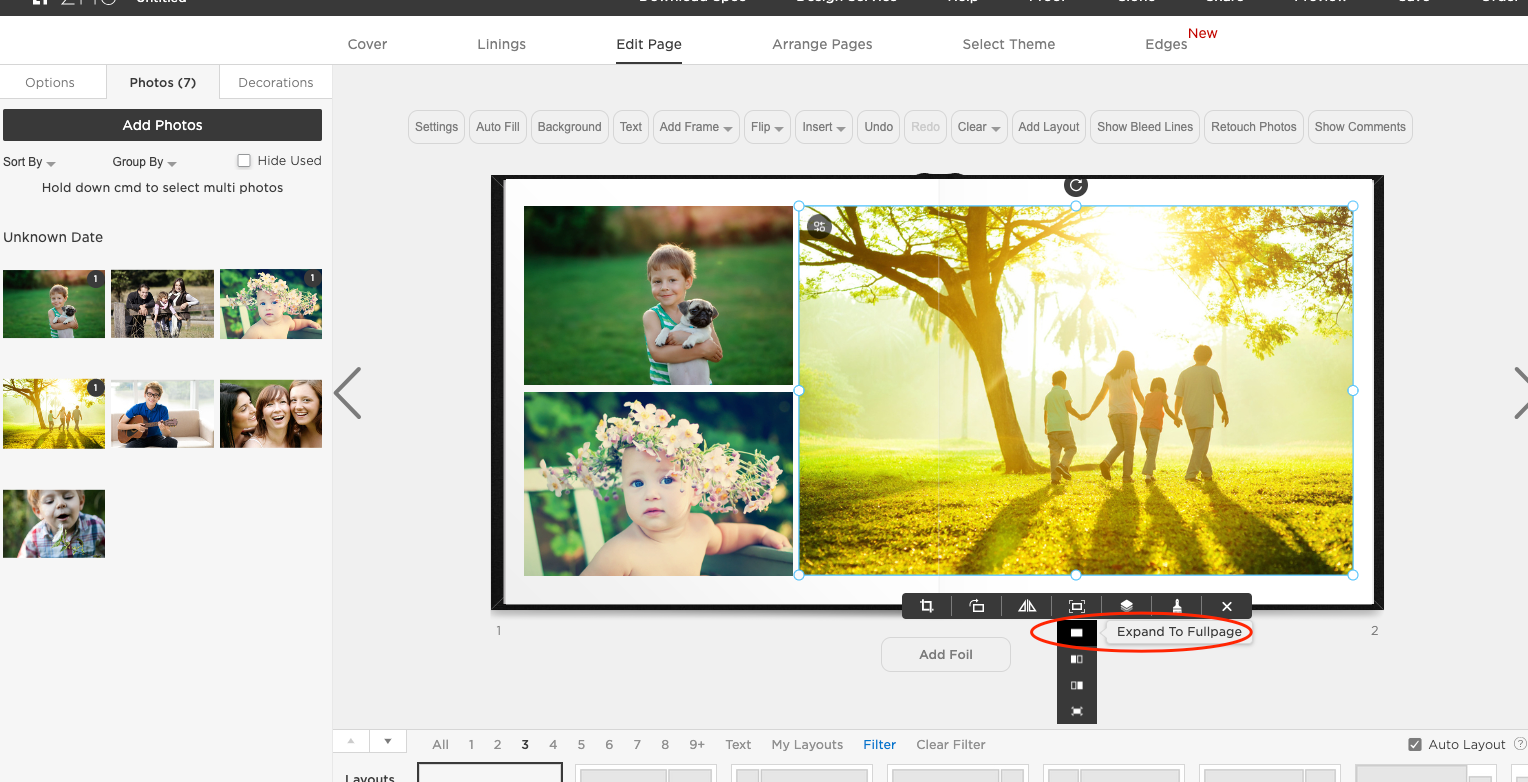
To select a photo as a background picture on the page, click on the image once to select it, then click "Expand to Fullpage" button beneath the image.
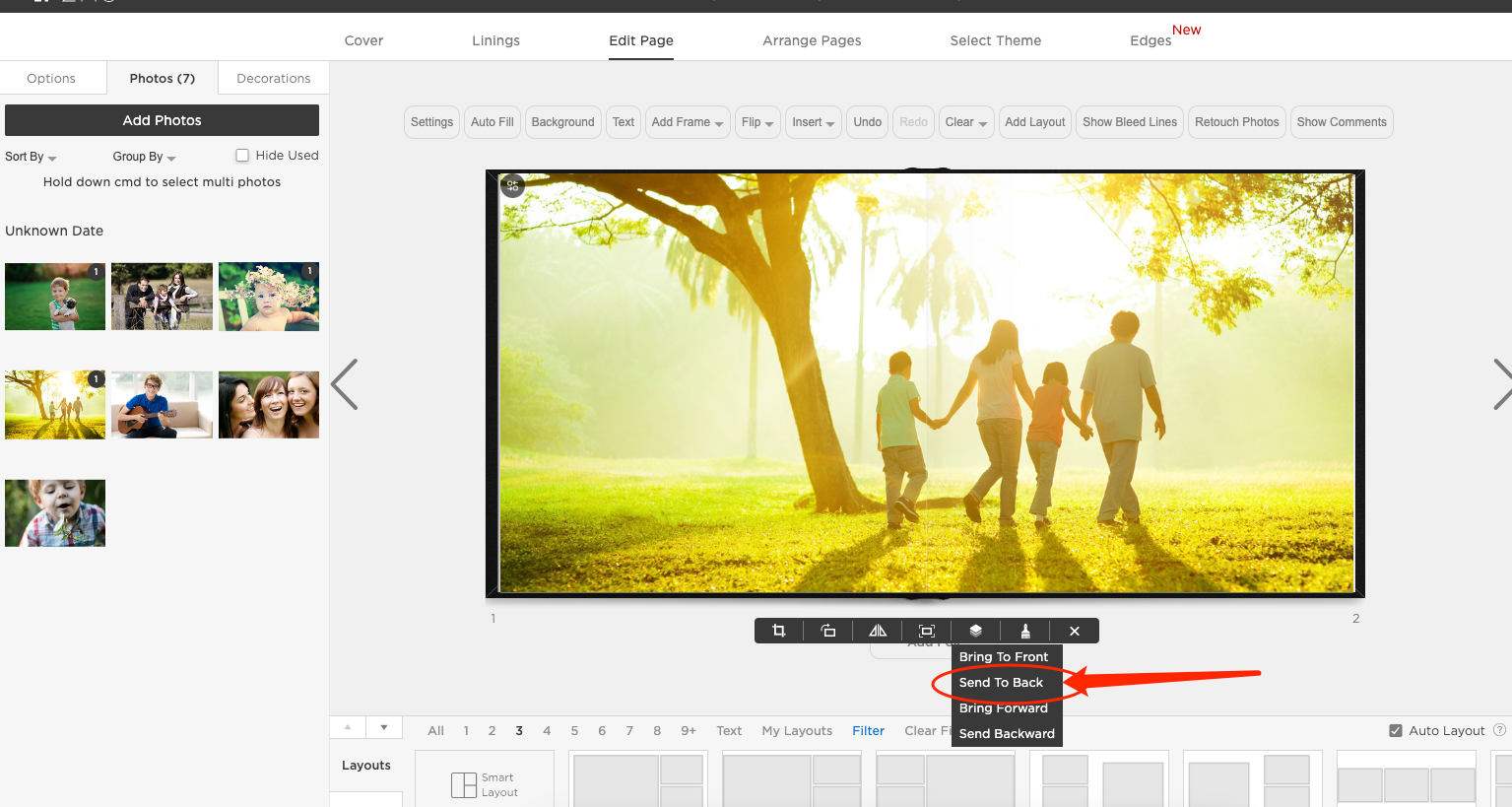
Then hover over the 'stack of papers' button and select "Send To Back." This will make the image the background.
For information how to "fade" a background image, click here.
If you have any further questions, please call 1-888-966-9539 or email support@zno.com.