
To change the order of your pages click "Arrange Pages."
Then hover over the spread you want to move so the entire spread is highlighted in blue.
Then drag the spread into the new location among the pages. When a vertical blue bar appears in the location where you would like the spread, drop it.
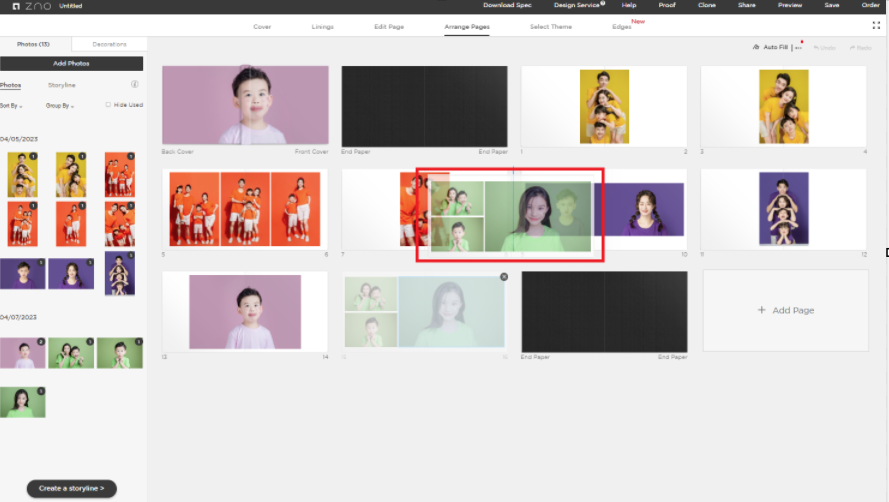
You will then see and updated page arrangement.
For more information, please call 1-888-966-9539 or email support@zno.com.